Claude can now turn AI-generated tools into Mac and Windows apps: which permissions should you allow?
Anthropic's desktop installation beta makes custom AI-built tools easier to launch. Compare the three permission levels and assess what your app actually needs.
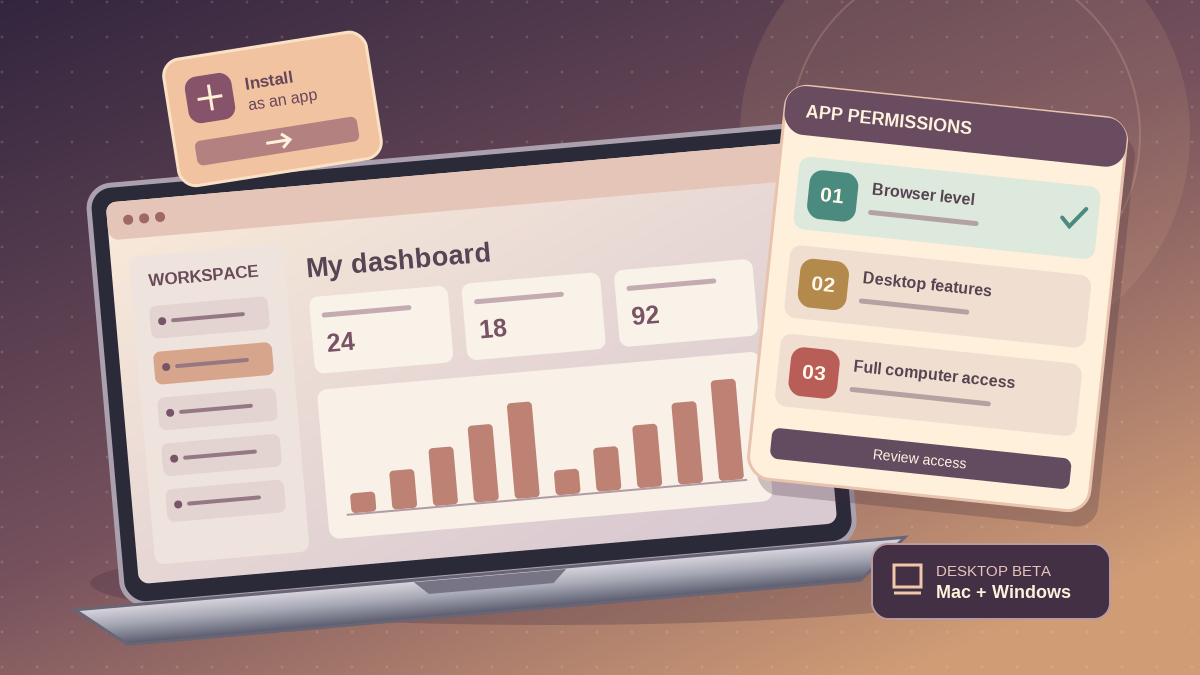
Anthropic is making it easier to use AI-generated software outside a chat window. The company announced a beta on November 24 that lets people install eligible Claude artifacts as desktop applications on macOS and Windows. MacRumors and The Next Web covered the release on November 25.
A custom dashboard, calculator or planning tool can now open in a dedicated window with its own application icon. This is a different proposition from distributing a conventional, independently packaged program: the installed tool remains connected to Claude.
What can you install?
Artifacts are separate work products created during a Claude conversation, including interactive interfaces and dashboards. A useful starting project might be a mortgage comparison tool, an inventory planner or a visual schedule. You can try the interface and refine its behavior before installing it.
Anthropic says installation is rolling out across plans, although organization settings and eligibility restrictions apply. Its announcement excludes native Claude Docs, Slides and Sheets from this capability. Users need an internet connection and an active Claude sign-in to open installed apps. AI requests consume the user's normal plan allowance.
Three permission levels, three different risks
Browser-level
For ordinary dashboards and calculations.
Desktop features
For notifications and other controlled operating-system features.
Full access
For programs and direct file operations. Highest potential impact.
Full access can allow file modifications and program execution without a fresh prompt for each individual operation. Computerworld's coverage highlights the implications for sensitive information. Anthropic restricts this level to apps made by the user or qualifying colleagues within their organization. The company does not vet every artifact before installation.
Interactive guide: choose the least access your app needs
Choose the features you intend to use. This guide suggests the lowest starting permission category; it cannot inspect code, grant permissions or establish that an app is safe.
For a simple calculator or standalone interface, avoid requesting additional computer permissions.
This is an educational decision aid, not a security audit. No personal data or credentials are needed. Selections are processed by the page script locally.
How to install an artifact
Update the desktop client, open an eligible artifact and choose the installation option in its sharing menu. After reviewing the confirmation, launch the resulting app window. If the option is absent, check the rollout status, platform and any workplace restrictions.
Test the consequences, not just the interface
For a budget calculator, enter known numbers and compare the outputs with a manual calculation. For an order tracker, use invented orders first. For a file organizer, test it with duplicate documents in a disposable directory. A visually polished interface says little about whether the underlying logic handles unexpected inputs correctly.
If an app performs actions on external services, separate preview from execution. A preview should show what will change before any real record is edited or any message is sent. Maintain backups for important files and verify that the tool handles errors without discarding data.
Installed artifacts can change as their underlying source is edited. Anthropic says approval is tied to an app version, but externally hosted parts can change independently. Reassess permissions when updating a tool, even if the update appears minor.
For businesses and teams
Anthropic's administrator documentation describes organization and device-level controls for installation and elevated access. Businesses should decide who may build, share and authorize tools, especially where customer information, accounting records or confidential documents are involved. An internally created app deserves the same basic testing and change-management discipline as other software.
The immediate benefit is convenience: a frequently used tool can become easier to launch and maintain. The trade-off is continuing dependence on the service and the responsibility to review what the tool can access. That matters more than whether the icon looks like a conventional desktop application.
Sources & further reading
AI-assisted, source-based explainer. The rollout was announced November 24; this article follows November 25 coverage. No artifact was installed or independently security-tested for this report. The permission guide is general advice, not a code audit. See editorial standards for corrections.